 Embedded Systems
How to Build an Interactive Robotic Arm using PIC Microcontroller?
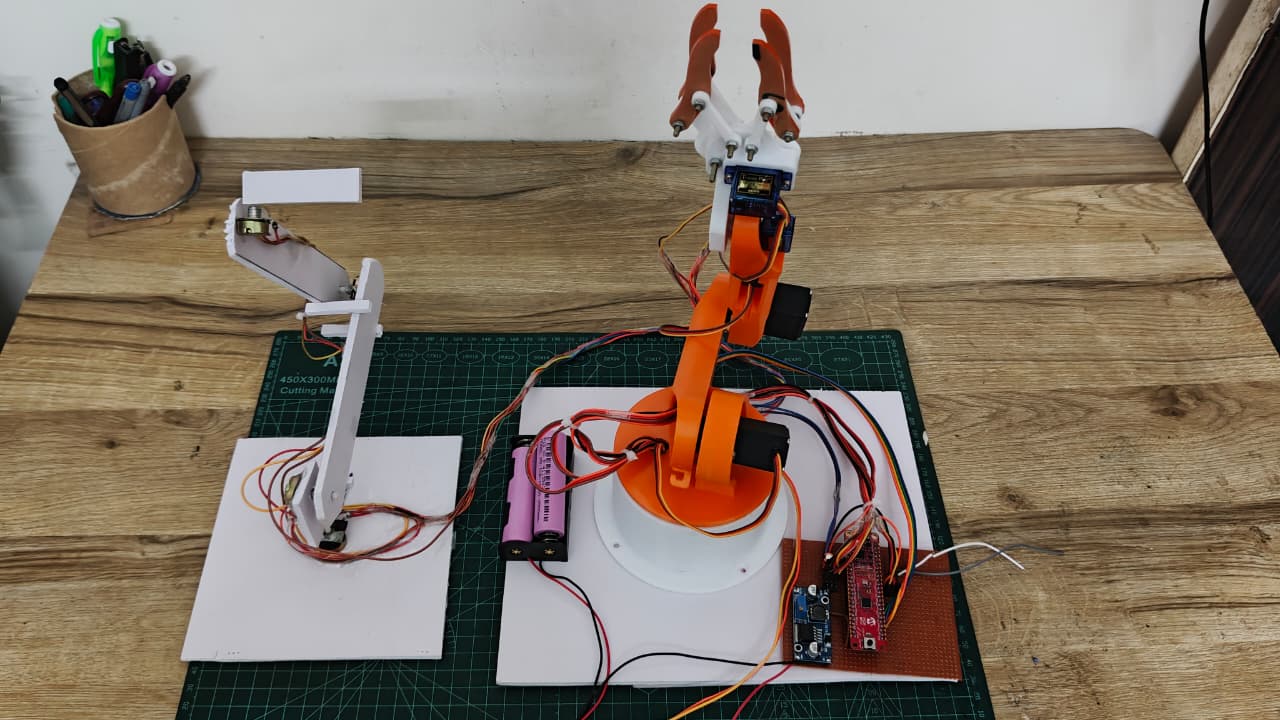
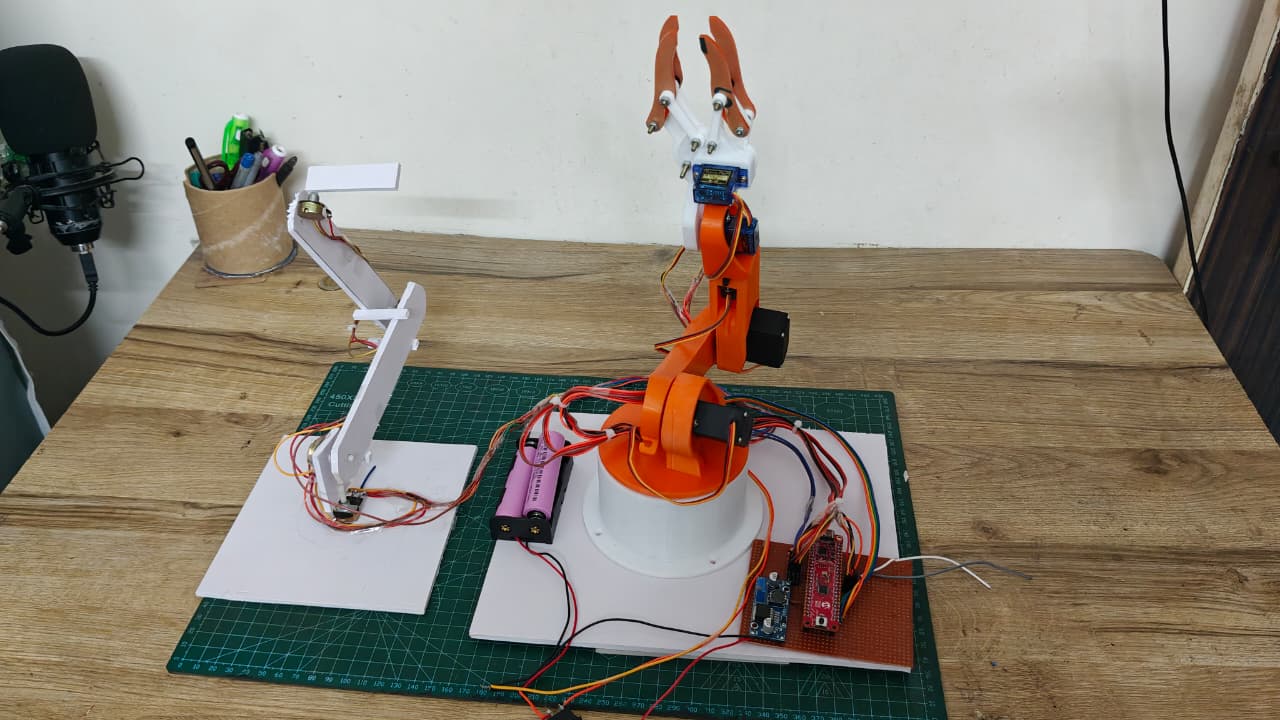
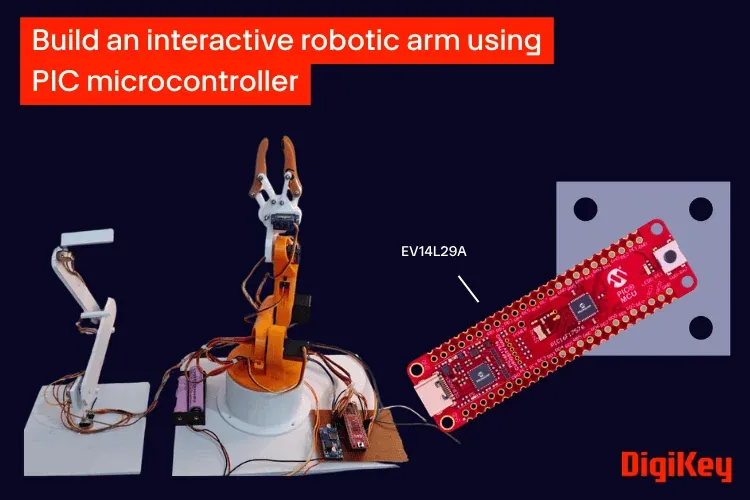
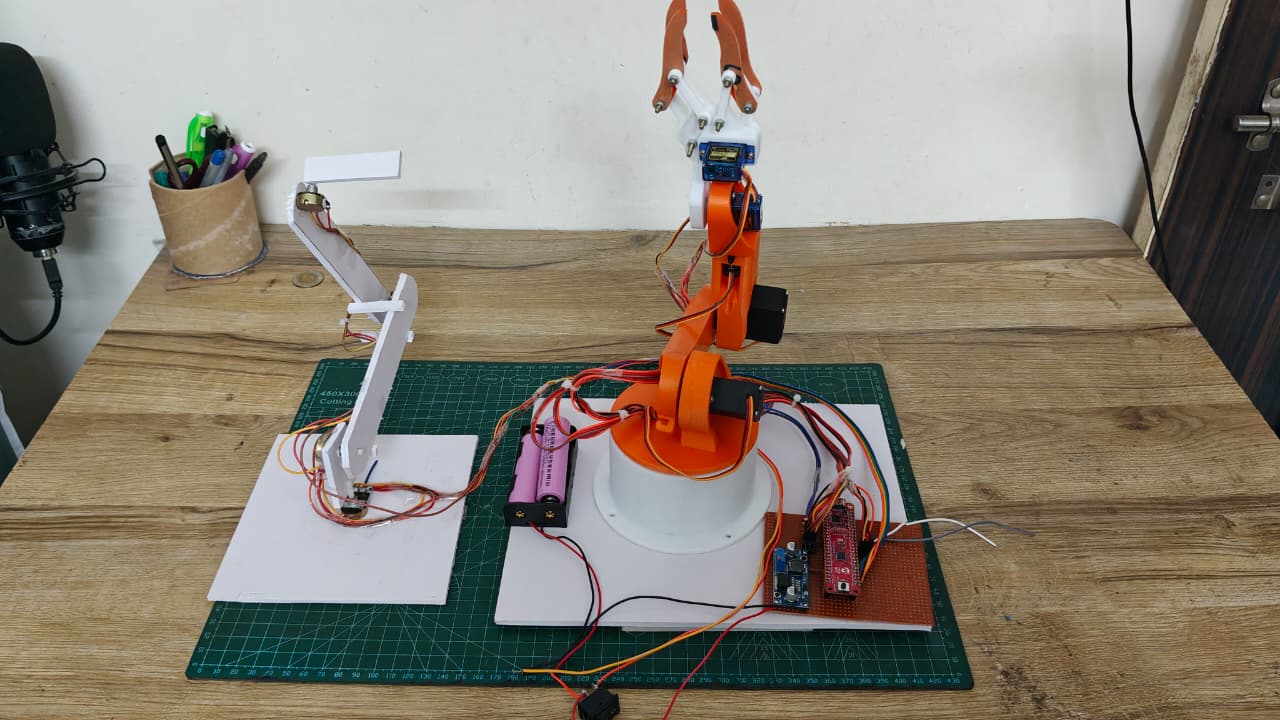
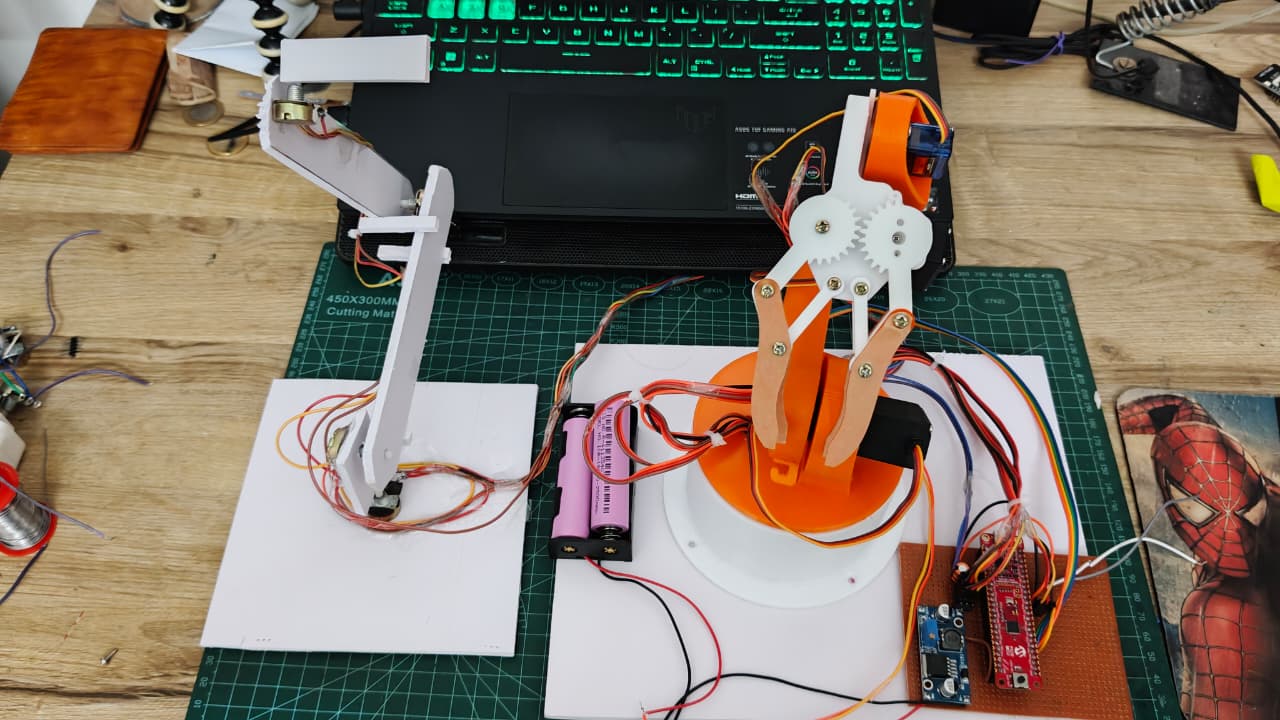
Robotic arms are widely used in industrial automation, research, and educational projects. Building and controlling one is a great way to learn the fundamentals of embedded systems, motion control, and robotics. In this project, we will design and build a 4-degree-of-freedom (4-DOF) robotic arm controlled using potentiometers. Each joint of the arm is connected to a dedicated potentiometer, allowing its position to be adjusted directly for simple and responsive manual control. The project is based on the PIC16F17576 Curiosity Nano development board. Along the way, you'll learn how a microcontroller can control devices in real time using basic input (ADC) and output (GPIO) functions instead of dedicated PWM hardware and integrate everything on a custom-designed PCB. Whether you are getting started with embedded robotics or looking to understand the basics of real-time motion control, this robotic arm provides a practical platform for learning. It can also serve as a foundation for future additions such as a gripper, camera mount, or simple pick-and-place mechanism. In the process, you'll also gain hands-on experience with ADC-based sensing and real-time embedded control.
Project Video Demonstration
Watch on YouTube YouTube Video
Step-by-Step Build Tutorial (9 Steps)
Gather all the Components
PIC16F17576 Curiosity Nano Servo Motors (4x) Potentiometers (4x) External 5V Supply(lm2596) (alternative: LM2596S) Custom PCB 3D Printed Robotic Arm
System Architecture and Components
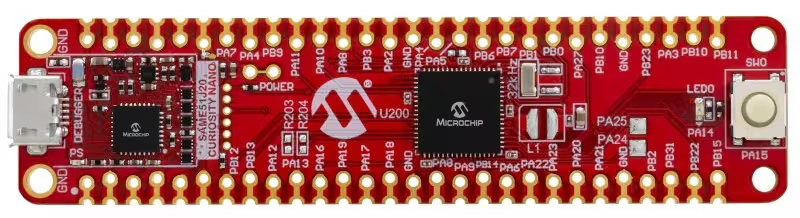
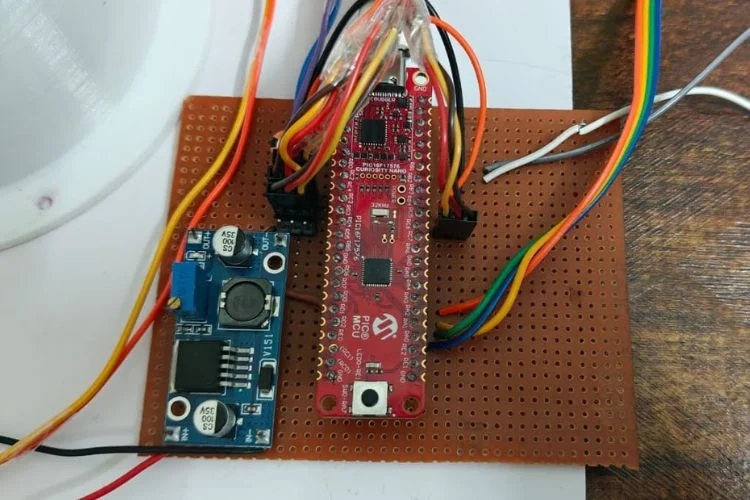
The system consists of a microcontroller, input devices (potentiometers), and output actuators (servo motors). Each potentiometer provides an analog voltage that is read by the microcontroller and translated into a corresponding servo position.The PIC16F17576 Curiosity Nano is a compact and powerful development board based on Microchip’s 8-bit PIC microcontroller family, designed for rapid prototyping and embedded system development. It features an integrated programmer/debugger, multiple GPIO pins, a high-resolution ADC, and flexible peripheral modules, making it suitable for a wide range of applications. With support from MPLAB X IDE and MCC (MPLAB Code Configurator), it simplifies peripheral configuration and firmware development. Its precise timing capabilities and efficient architecture make it particularly well-suited for real-time control applications such as robotics and automation systems.
Pin Connections
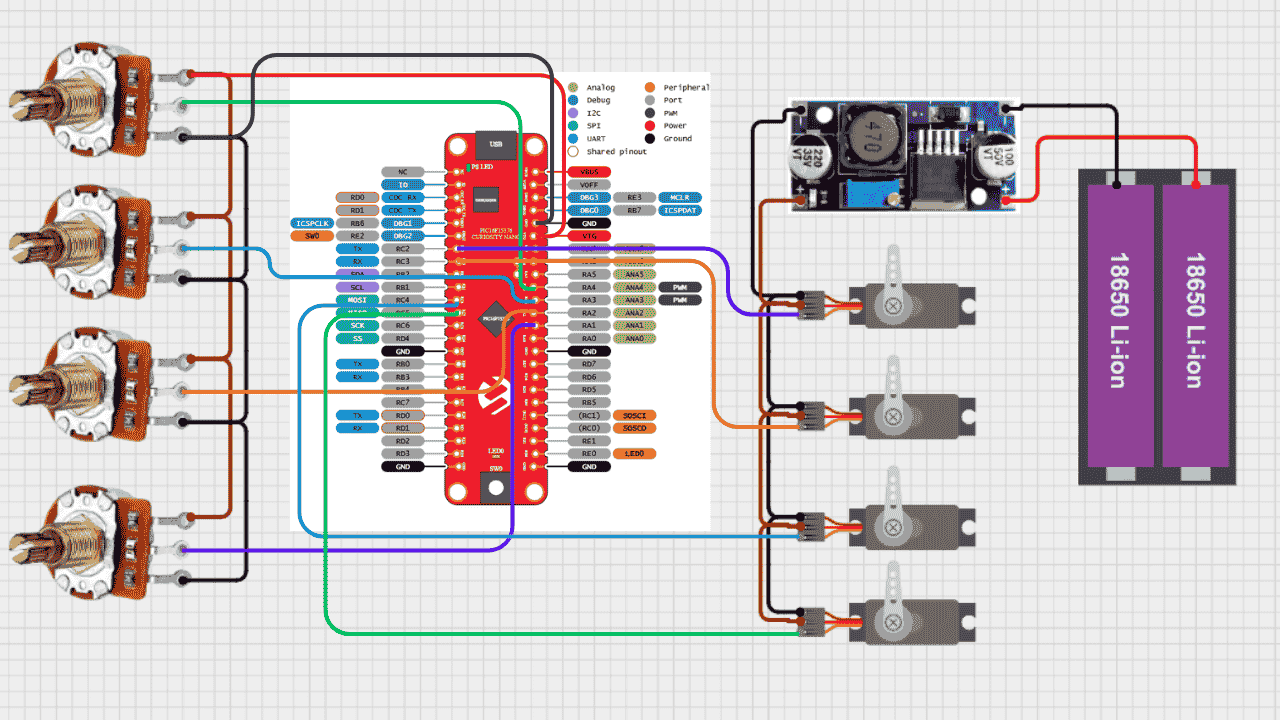
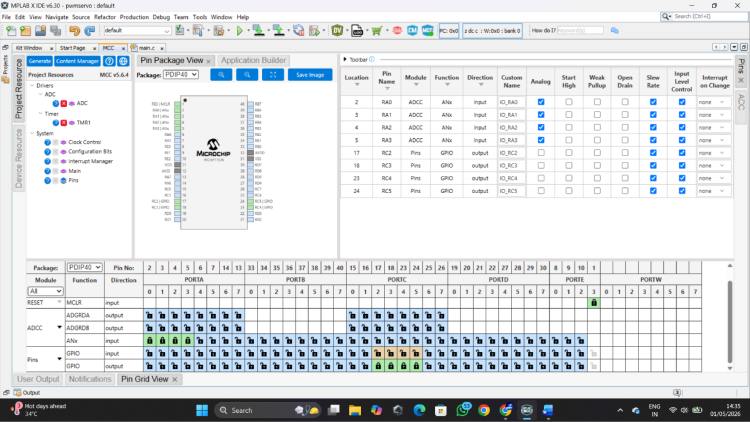
Function Microcontroller Pin Servo 1 RC2 Servo 2 RC3 Servo 3 RC4 Servo 4 RC5 Potentiometer 1 RA0 Potentiometer 2 RA1 Potentiometer 3 RA2 Potentiometer 4 RA3
Install Required Software
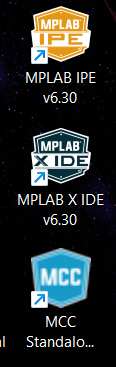
Before programming the PIC16F17576, we need a few tools from Microchip: MPLAB X IDE – The main development environment where we write, edit, compile, and debug the C code for the PIC microcontroller. MCC Standalone – Microchip Code Configurator is used to configure peripherals such as ADC, GPIO, timers, and other microcontroller features. It also generates the required initialization code, making hardware configuration easier. MPLAB IPE – MPLAB Integrated Programming Environment is used to program (flash) the compiled firmware onto the PIC microcontroller using a compatible programmer/debugger. In this project, we use MPLAB X IDE + MCC to develop and configure the firmware, and MPLAB IPE to program the final firmware onto the PIC16F17576.
Configuring the PIC16F17576
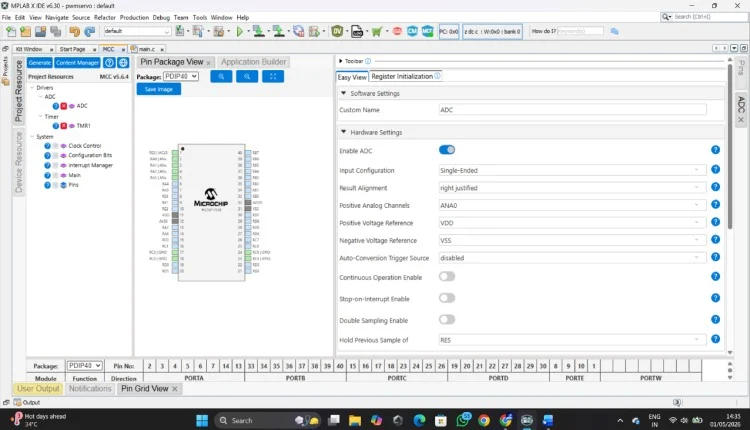
After creating the project in MPLAB X IDE, we can use MCC Standalone to configure the PIC16F17576's pins and peripherals. Open MCC from the Tools → Embedded → MPLAB Code Configurator (MCC) menu. MCC provides a graphical interface where we can configure the microcontroller without manually writing all the register settings. 1. Configure the I/O Pins Open the Pin Grid View in MCC. Here, each pin of the PIC can be assigned a specific function. For this project: * The pins connected to the potentiometers are configured as Analog inputs (ADC). * The pins connected to the servo motors are configured as Digital outputs. * Any additional pins required for LEDs or other peripherals can be configured according to the circuit. Make sure the potentiometer pins are configured for Analog Input rather than digital GPIO, since their varying voltage needs to be read by the ADC. 2. Configure the ADC From the MCC Device Resources, add the ADC peripheral. Enable the required ADC channels corresponding to the potentiometer pins. The ADC converts the potentiometer's analog voltage into a digital value that can be processed by the microcontroller. These values are then used to determine the position of the corresponding servo motor. 3. Generate the Code Once the pins and peripherals are configured, click Generate in MCC. MCC automatically creates the required initialization code and peripheral drivers. The generated code can then be used inside the MPLAB X IDE project, where we can add our own application logic to read the potentiometers and control the servos. Tip: Always check the pinout and circuit connections before generating the code. Assigning the wrong pin function can cause the hardware to behave unexpectedly.
Initial Servo Testing and Development Approach
Before implementing the full multi-servo system, individual servo testing was performed to validate signal generation and timing accuracy. This step ensured that the microcontroller could reliably generate the precise control pulses required for servo operation.A simple sweep program was developed where the servo was driven by varying pulse widths in a continuous loop. This helped in understanding the relationship between pulse width and angular position, as well as verifying stable operation at a fixed 20 ms control frame. During this phase, different pulse ranges and timing parameters were explored to achieve smooth motion and accurate positioning. This iterative testing process helped in fine-tuning the control logic before scaling the system to multiple servos.
Configure, Calibrate & upload final code
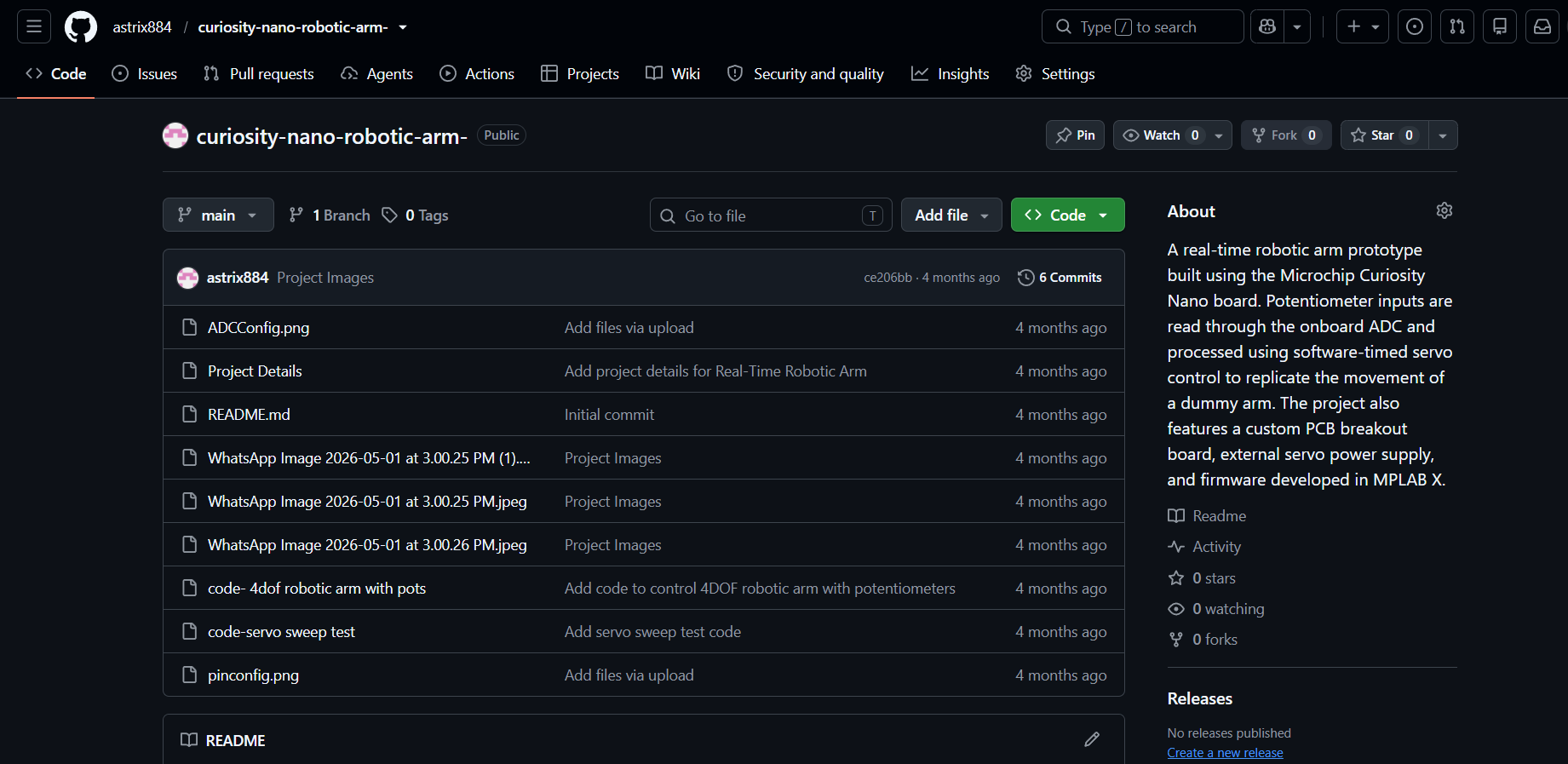
All the Codes are available in the github repo along with respective circuit diagram
Learning Experience and Platform Exploration
This project also marked my first hands-on experience with an industry-grade PIC microcontroller, specifically the PIC16F17576 on the Curiosity Nano board. Initially, adapting to the development environment and peripheral configuration required some exploration, especially when working with ADC and timing control. While experimenting with servo control, achieving the required low-frequency signal (~50 Hz) using standard PWM modules required careful consideration. The default PWM configurations were more suited for higher-frequency applications, so generating stable servo signals involved exploring alternative approaches. This led to the implementation of a software-based pulse generation method, which provided precise control over pulse width and timing. This approach not only solved the frequency requirement effectively but also offered greater flexibility for controlling multiple servos simultaneously. However, the platform proved to be highly capable and flexible. The integrated ADC, configurable I/O, and precise timing control made it well-suited for real-time embedded applications like robotic control systems. As the development progressed, it became easier to leverage these features effectively.
Design Refinement and Optimization
While building the system, several practical challenges were encountered related to timing synchronization, multi-servo control, and signal stability. These were addressed through iterative improvements in code structure and timing logic. Pulse timing was carefully adjusted to match servo requirements Sequential signal generation was implemented for multiple servos ADC reading and control timing were optimized for better responsiveness This process not only improved system performance but also provided deeper insight into real-time embedded system design. This project demonstrates a practical and efficient approach to real-time robotic control using a microcontroller. By combining ADC-based input processing with software-generated servo signals, it highlights how embedded systems can be designed even with hardware constraints. The debugging process and iterative improvements played a crucial role in achieving a stable system, making this project a strong example of applied embedded engineering.
Circuit Schematics & Block Diagram