
Project Archive
Filter through hardware builds, embedded firmware, IoT systems, robotics, and ECE circuits. Click any project to inspect full build logs and schematics.
 IoT
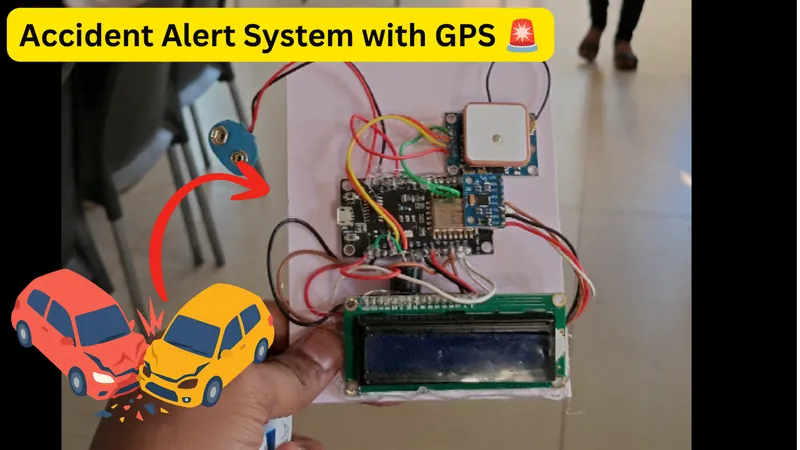
IoTVehicle Accident Alert System Using ESP8266 & GPS
Road accidents can happen within seconds, and getting information about an accident quickly can make a huge difference. This project is a prototype of an IoT-based Vehicle Accident Alert System that monitors a vehicle's motion and orientation and sends an alert when it detects conditions that may indicate an accident. The system uses an MPU6050 accelerometer and gyroscope to monitor acceleration and vehicle tilt. A NEO-6M GPS module provides the vehicle's location and speed, while a NodeMCU ESP8266 processes the sensor data and connects the system to the internet through Wi-Fi. When a potential accident is detected, the system activates a buzzer and LED and sends an alert through Blynk, including available GPS coordinates, speed, pitch and roll. The Blynk dashboard can also be used for live monitoring. It is a pretty good problem-solving IoT project for beginner engineering students, because it combines sensors, embedded programming, GPS, wireless communication and a real-world safety application.
 Embedded Systems
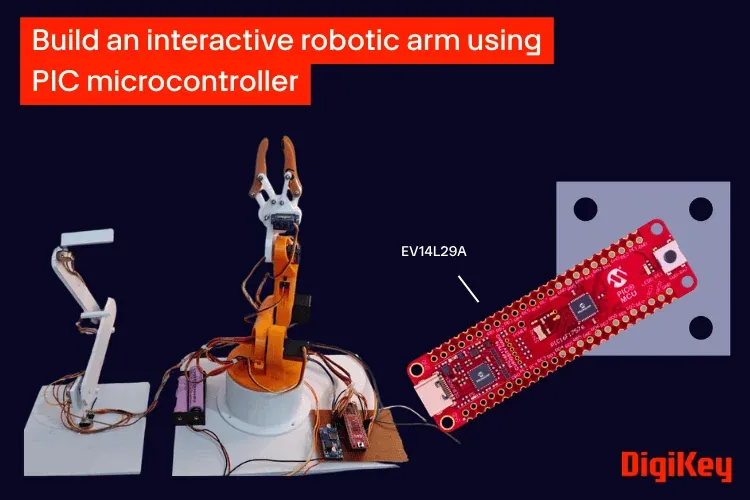
How to Build an Interactive Robotic Arm using PIC Microcontroller?
Robotic arms are widely used in industrial automation, research, and educational projects. Building and controlling one is a great way to learn the fundamentals of embedded systems, motion control, and robotics. In this project, we will design and build a 4-degree-of-freedom (4-DOF) robotic arm controlled using potentiometers. Each joint of the arm is connected to a dedicated potentiometer, allowing its position to be adjusted directly for simple and responsive manual control. The project is based on the PIC16F17576 Curiosity Nano development board. Along the way, you'll learn how a microcontroller can control devices in real time using basic input (ADC) and output (GPIO) functions instead of dedicated PWM hardware and integrate everything on a custom-designed PCB. Whether you are getting started with embedded robotics or looking to understand the basics of real-time motion control, this robotic arm provides a practical platform for learning. It can also serve as a foundation for future additions such as a gripper, camera mount, or simple pick-and-place mechanism. In the process, you'll also gain hands-on experience with ADC-based sensing and real-time embedded control.
 Arduino & ESP32
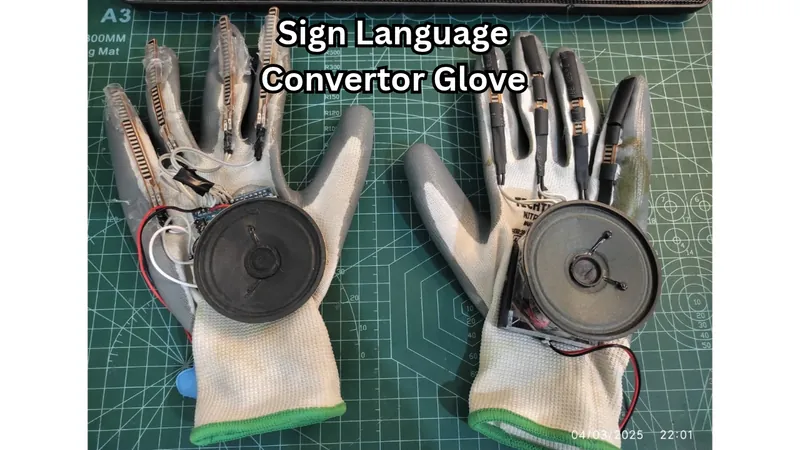
Sign Language Converter Glove Using Arduino Nano & Flex Sensors
Communication is one of the most basic human needs. However, individuals who are unable to speak often face difficulties expressing their thoughts and daily needs to others. This project aims to bridge that gap by converting predefined hand gestures into audible voice messages. The user simply performs a hand gesture, and the glove speaks a corresponding sentence through a speaker. The system uses flex sensors mounted on a glove to detect finger bending. An Arduino Nano processes the sensor readings and triggers a DFPlayer Mini module to play pre-recorded voice messages stored on an SD card.
 Arduino & ESP32
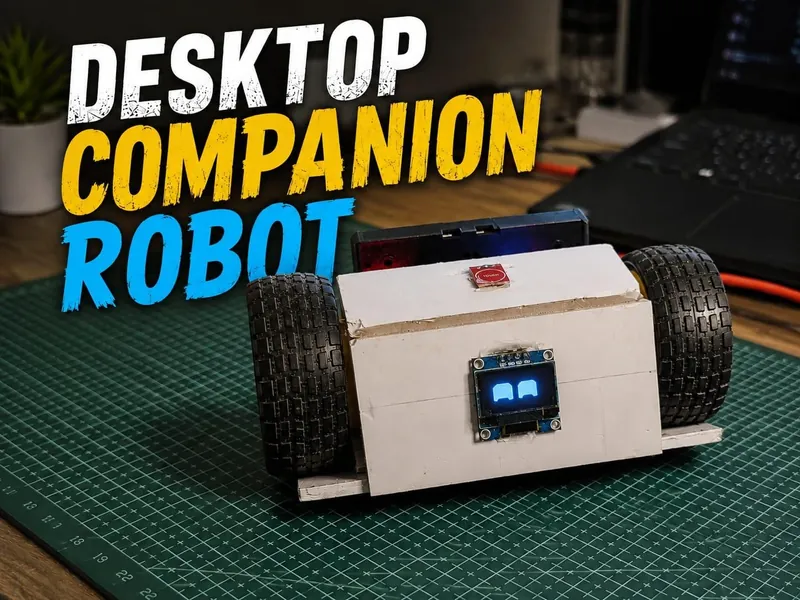
DIY ESP32 Desktop Companion Robot
I wanted to build something that was more than just another ESP32 project. So I built a small Desktop Companion Robot that can move around, display animated eyes, react to touch, connect to Wi-Fi, and be controlled from a phone through a web dashboard. The robot is powered by an ESP32-C3 Mini and uses an SSD1306 OLED to display animated RoboEyes. It features multiple moods and expressions, touch interaction, Wi-Fi control, movement, sound feedback, and a built-in Pomodoro focus mode. Through the custom web dashboard, I can control the robot's movements, expressions, moods, and focus sessions directly from my phone. The robot can also react to user interaction, making it feel less like a simple electronics project and more like a tiny desktop companion with its own personality. The project combines embedded systems, robotics, IoT, electronics, programming, web development, and 3D design into one small desktop robot.
 IoT
IoTBuild an IoT Controlled Rover Using the ESP32-S3 and MQTT
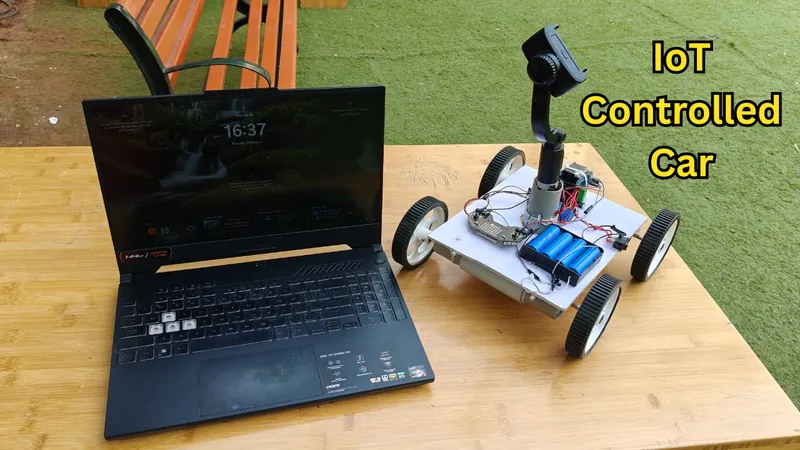
Imagine controlling your robotic rover from anywhere in the world using nothing more than a web browser and an internet connection. No Bluetooth range limitations, no dedicated mobile app—just open a webpage, connect to your MQTT broker, and you're ready to drive your robot in real time. In this project, we'll build a cloud-controlled IoT rover using the AtumX Subo Super Board (ESP32-S3) and the MQTT protocol. The rover connects to Wi-Fi and securely communicates with a cloud MQTT broker, allowing you to control it from your laptop, tablet, or smartphone from virtually anywhere with internet access. The project includes a custom-built web dashboard featuring keyboard controls (WASD), on-screen buttons for mobile devices, adjustable speed control, and real-time command transmission. To enhance user interaction, the onboard RGB LED matrix displays different colors based on the rover's movement, providing instant visual feedback. Unlike conventional Bluetooth or RF-controlled robots that are limited to a few meters of range, this rover is controlled through the internet. Whether you're in another room, another city, or even another country, you can drive the rover as long as both the rover and your control device are connected to the internet. This project serves as an excellent introduction to IoT, cloud robotics, MQTT communication, and remote device control while providing a solid platform for future upgrades such as robotic arms, FPV cameras, AI vision, obstacle avoidance, GPS navigation, and autonomous operation.
 Arduino & ESP32
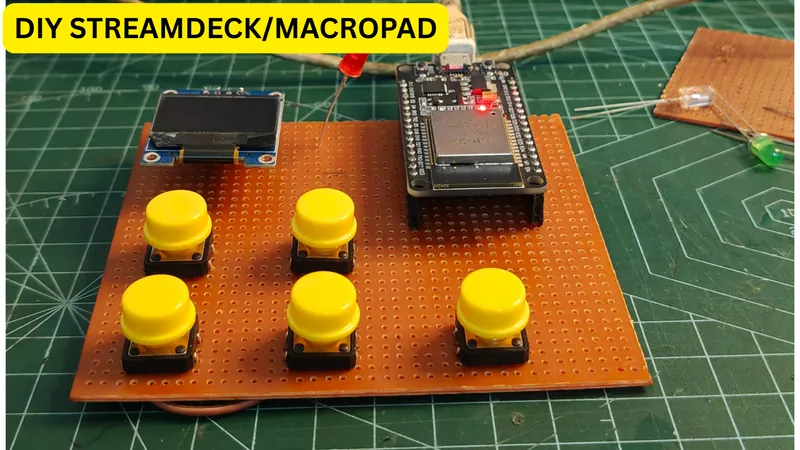
DIY ESP32 Stream Deck/MacroPad (Low-Cost Bluetooth Alternative)
While gaming, streaming, or even working on creative software, we often rely on multiple keyboard shortcuts switching scenes in OBS, controlling volume, pausing media, or switching between applications. This constant switching between mouse and keyboard can break workflow and slow you down. That’s where a Stream Deck comes in. A stream deck is a programmable controller with multiple buttons that can trigger predefined actions like shortcuts, macros, or system controls with a single press. Instead of remembering complex key combinations, you simply press one button and the action happens instantly. However, commercial stream decks (like Elgato) are quite expensive, especially for students or beginners. So instead of buying one, I decided to build my own DIY Stream Deck using ESP32, keeping it: Low cost 💸 Fully customizable ⚙️ Expandable for future upgrades 🚀 This project uses an ESP32 to send commands via Bluetooth, and a Python script on the PC to convert those commands into actual keyboard actions.
 Arduino & ESP32
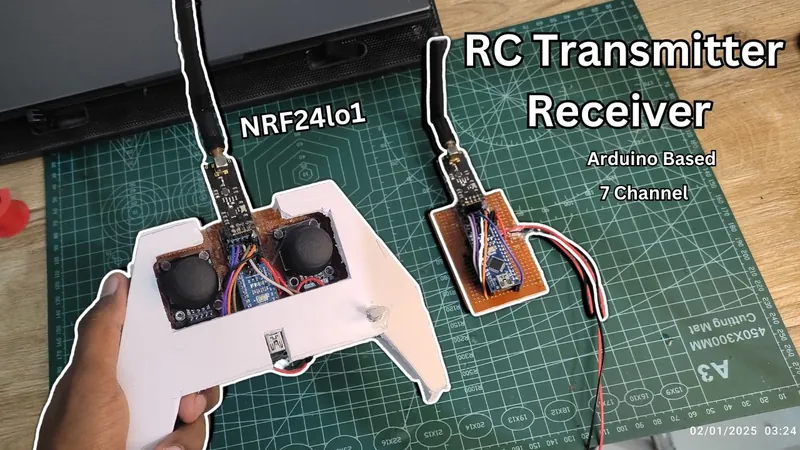
Build Your Own 7-Channel RC Transmitter and Receiver Using Arduino and NRF24L01+
The 7-Channel RC System is a DIY transmitter and receiver you can build to control RC cars, boats, robots, and custom RC projects with smooth, low-latency precision. Using two joysticks and a potentiometer, it allows you to drive, steer, and control multiple motors, servos, and accessories — all from a single, customizable controller. I’m Suyash, and in this tutorial I’ll give you everything you need: complete wiring diagrams, Arduino code, nRF24L01+ configuration tips, and step-by-step instructions to build your own affordable, high-performance RC system that can be adapted to almost any RC vehicle you can imagine.
 Arduino & ESP32
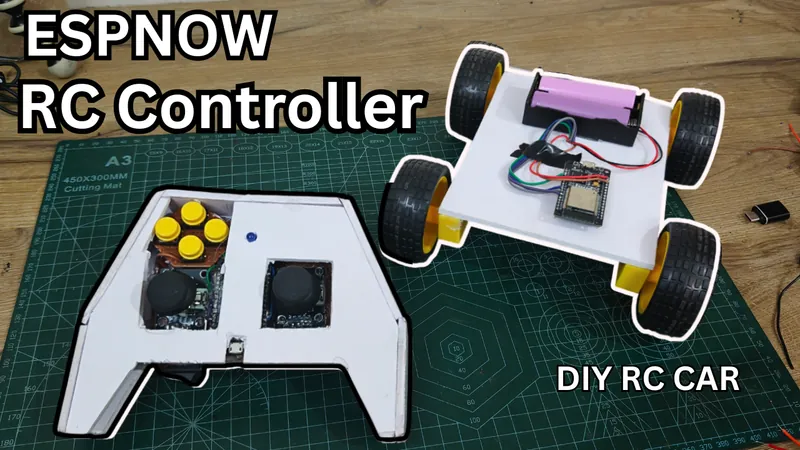
Build a DIY 10-Channel ESP32 RC Controller With ESP-NOW
In this project, I built a DIY ESP32-based RC controller (transmitter) using ESP-NOW, designed to control an RC car or robot with very low latency and smooth response. This controller uses two analog joysticks and multiple push buttons, and communicates wirelessly with another ESP32 without using Wi-Fi routers, internet, or external RF modules. I’ll walk you through the entire process step by step — from assembling components, soldering, coding, casing, and finally testing it on a real RC car. What is ESP-NOW and Why I Used It ESP-NOW is a peer-to-peer wireless protocol that works on the same 2.4 GHz radio as Wi-Fi, but without needing: Internet Routers IP addresses Why I chose ESP-NOW for this RC controller: Extremely low latency, perfect for real-time RC control Direct ESP32-to-ESP32 communication No external RF modules required Works well even in Wi-Fi-crowded areas For RC and robotics projects where response time really matters, ESP-NOW is a great choice.